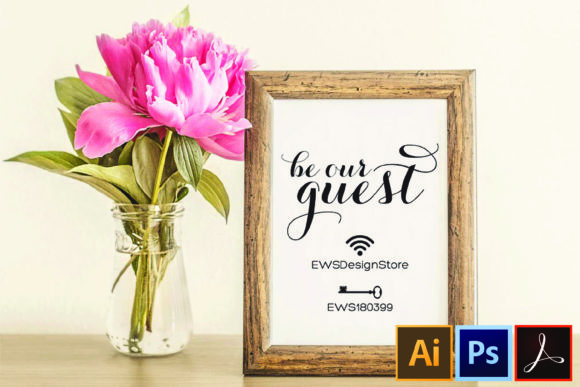
Wifi Password Sign Printable Download: A Practical Guide to Getting It Right
There is a specific moment that happens in almost every home or small business when a guest asks for the wifi password. In the past, this led to awkward fumbling with phones, shouting across rooms, or worse, writing the complex string of characters on a napkin that inevitably gets lost. This is where a dedicated sign becomes more than just a convenience; it transforms into a professional touchstone for hospitality and organization.
A Wifi Password Sign Printable Download offers an immediate solution to this common friction point. However, simply grabbing any image from the internet often leads to frustration later. The difference between a sign that looks great and one that frustrates you lies in understanding the file formats, the editing capabilities, and the specific needs of your space before you commit to a download.
Why File Formats Matter More Than You Think
When searching for a template, many users focus solely on the visual preview. They see a nice design and click "download," only to realize hours later that they cannot actually change the text. This is the most critical mistake to avoid. Not all printable files are created equal, and assuming a standard image file will work for your needs is a recipe for disappointment.
The ideal package provides flexibility through multiple formats. Specifically, looking for a bundle that includes Adobe PDF, Adobe Photoshop (PSD), and Adobe Illustrator (AI/EPS) ensures you have the right tool for the job. Each format serves a distinct purpose in the workflow:
- Adobe PDF: Best for final output if you need to make minor adjustments without opening heavy software, though some advanced vector edits require the source files.
- Adobe Photoshop (PSD): Essential for users who want to manipulate raster elements, apply filters, or adjust colors using layers. This is crucial if you need to match the sign to a specific wall color or texture.
- Adobe Illustrator (AI/EPS): The gold standard for crispness. Since these files use vectors, you can resize the sign from a tiny 5"x7" card to a large banner without losing quality. If you plan to print at high resolution, this is your safest bet.
If a listing claims to be editable but only offers a JPG or PNG, proceed with caution. These are flat images. While you might be able to crop them, you cannot easily move individual elements like the wifi icon or the QR code without ruining the design integrity.
The Vector vs. Text Confusion
One of the most confusing aspects for beginners is the distinction between "editable text" and "editable vectors." Many templates advertise as fully customizable, yet users find they cannot type directly into the boxes.
In high-quality design files, text is often converted into outlines or shapes. This prevents font substitution issues when you open the file on a computer that doesn't have the original font installed. While this sounds restrictive, it is actually a safeguard. Instead of typing new text, you edit the vector paths.
This means you can change the color of the letters, stretch them, rotate them, or reposition them within the layout. It requires a slightly different approach than Word or Google Docs, but it results in a much sharper, more professional print. If you are uncomfortable with vector editing, look for templates that explicitly state "text layers included" or choose a PDF version where the text remains as actual text objects.
Common Pitfalls in Sizing and Printing
Once you have secured the correct file types, the next hurdle is physical application. A frequent error involves ignoring the standard dimensions provided by the designer. Most professional templates, including the ones mentioned here, are optimized for a 5"x7" size.
While 5x7 inches is a standard photo paper size, printing it incorrectly can lead to wasted resources. If you try to force a 5x7 design onto standard Letter-sized (8.5x11) paper without adjusting the settings, you risk getting borders cut off or the image appearing pixelated. Always check your printer's "fit to page" versus "actual size" settings.
Furthermore, consider the material. A digital file is only as good as the paper it prints on. Using thin, flimsy paper for a sign that will be handled frequently by guests is a poor investment. The sign should feel substantial enough to warrant attention. Pairing a high-resolution vector file with thick cardstock creates a perception of care and professionalism that simple printed sheets cannot achieve.
The Font Factor
Designers often use custom or premium fonts to give their templates a unique look. When downloading a Wifi Password Sign Printable Download, verify if the necessary font files are included. The package description notes that free font download links are provided. Ignoring this step is a common oversight.
If you attempt to open the file without the specified fonts, the software will substitute them with default system fonts. This can completely alter the spacing, alignment, and overall aesthetic of the sign, potentially making the wifi password difficult to read. Before you start editing, ensure you have installed the required fonts from the provided links. This small preparatory step saves hours of frustration trying to realign text boxes that have suddenly shifted.
Evaluating Your Choice Before You Buy
Before finalizing a purchase or download, take a moment to evaluate the preview images closely. Do not rely on the thumbnail. Look for details regarding the layer structure and the clarity of the graphics. Ask yourself: Can I easily separate the background from the text? Are the icons scalable?
Consider the context of where the sign will live. If you are running a bed and breakfast, the design should be elegant and welcoming. If it is for a casual coffee shop, a modern, minimalist vector style might fit better. The ability to edit colors and positions allows you to tailor the sign to your brand identity, but only if the underlying file supports those changes.
Remember that while the graphics are fully editable vectors, the core message—the password itself—must remain accurate. A beautiful sign with an incorrect password is useless. Double-check your input before sending the file to the printer. It is also wise to test print on regular paper first to ensure the margins are correct and the text is legible from a reasonable distance.
Making the Right Decision for Your Space
Ultimately, the goal of a Wifi Password Sign Printable Download is to enhance communication and reduce anxiety for both hosts and guests. By choosing a template that offers multiple formats (PDF, PSD, AI), you future-proof your project. You gain the ability to reprint, resize, or modify the design years down the line without starting from scratch.
Don't settle for a static image that limits your creativity. Embrace the power of editable vectors to create a sign that truly reflects your environment. Whether you are a blogger setting up a workspace, a small business owner welcoming clients, or a parent hosting a gathering, taking the time to select the right technical specifications ensures that your hospitality shines through in every detail.
By avoiding the traps of non-editable files, mismatched fonts, and incorrect sizing, you ensure that your sign is not just a piece of paper, but a functional, stylish, and reliable part of your daily operations. Check the features, understand the formats, and enjoy the seamless experience of having your network accessible to everyone who walks through your door.